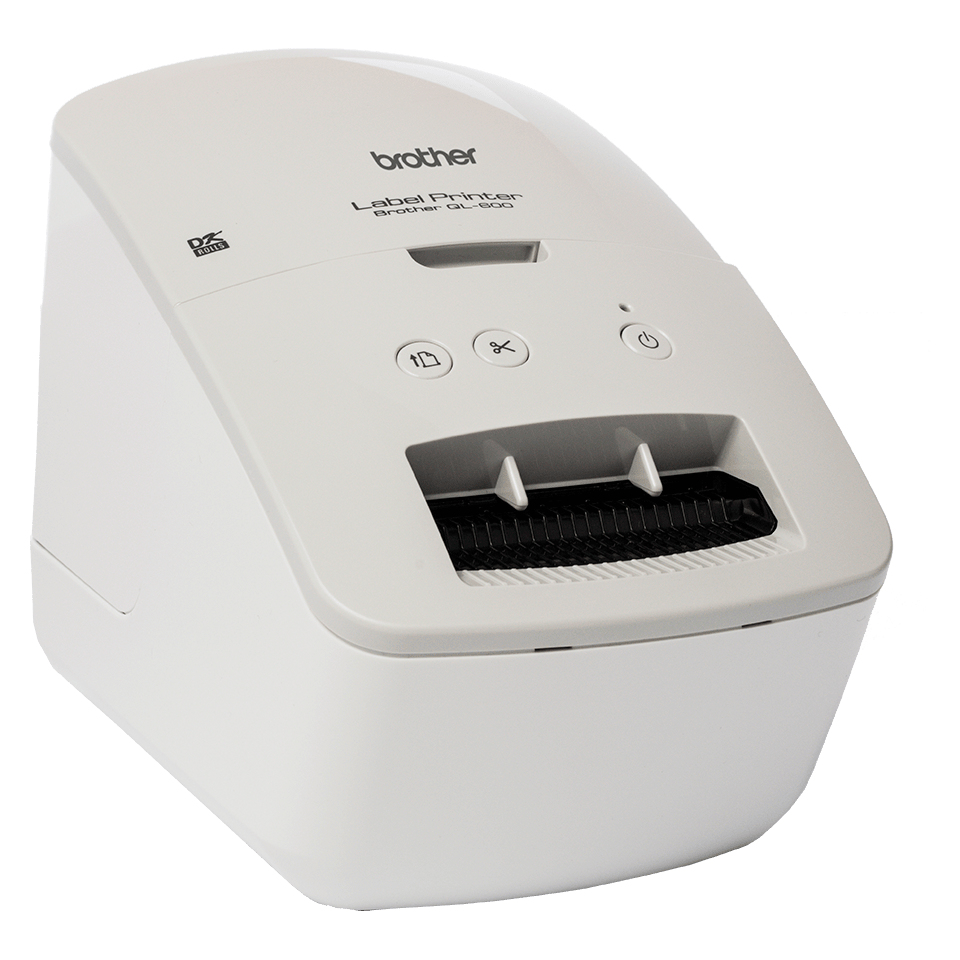
Brother QL-600G - Label printer
Color - 600 dpi - USB 2.0 - direct thermal roller (6.2 cm) 300 x 300 dpi up to 71 mm/sec USB 2.0 gray white
Brand: Brother
SKU: QL600GXX1
AED483.54
Price excl. VAT
AED507.72
Price incl. VAT
Available – In Stock

Do you have any question about this product? Click here to contact our pre-sales consultant and make the right purchase.
تسوّق بثقة: مخزون حقيقي وشروط تجارة عادلة
أسعار أفضل مع توفّر دقيق للمخزون، ومدفوعات آمنة بشفافية كاملة.
- مخزون مباشر مجمّع: التوفّر المعروض هو إجمالي المخزون المجمّع لمستودعاتنا وموزّعينا الشركاء، ويتم تحديثه لحظة بلحظة. إذا كان المنتج متوفراً، فهو متوفر فعلاً.
- لا خصم قبل التأكيد: يتم حجز المبلغ فقط عند إتمام الطلب، ولا يُخصم إلا بعد تأمين المنتج لك.
- إلغاء مجاني خلال 24 ساعة: غيّرت رأيك؟ ألغِ طلبك خلال 24 ساعة وسيتم فك حجز المبلغ بالكامل.
- نفد المخزون؟ استرداد كامل: إذا أصبح المنتج غير متوفر بعد طلبك، سنلغي الطلب ونفك حجز مبلغك أو نستردّه بنسبة 100%.
- توصيل إلى باب بيتك في الإمارات: يتم فحص كل طلب وتغليفه في مستودعاتنا وشحنه عبر DHL Express أو UPS أو FedEx بنظام DDP – دون أي رسوم جمركية أو ضرائب عليك. لا رسوم خفية.
- شروط عادلة للإلغاء والإرجاع: في حال الإلغاء المتأخر أو إرجاع المنتجات الغالية أو المطلوبة خصيصاً دون وجود عيب، قد تُطبَّق رسوم تتراوح بين 5% و10%، تغطي فقط تكاليف الشحن والمناولة الفعلية حتى نتمكن من الاستمرار. لا تُفرض أي رسوم على المنتجات المعيبة وحالات الإرجاع للضمان (RMA). لا رسوم تأخير في السداد ولا فوائد إطلاقاً. الشروط الكاملة
 NOTE: The information below is provided for your convenience only; the accuracy of the specifications cannot be guaranteed. However, if necessary, please check with us before purchasing. Data provided by 1 World Sync.
|
|
||||
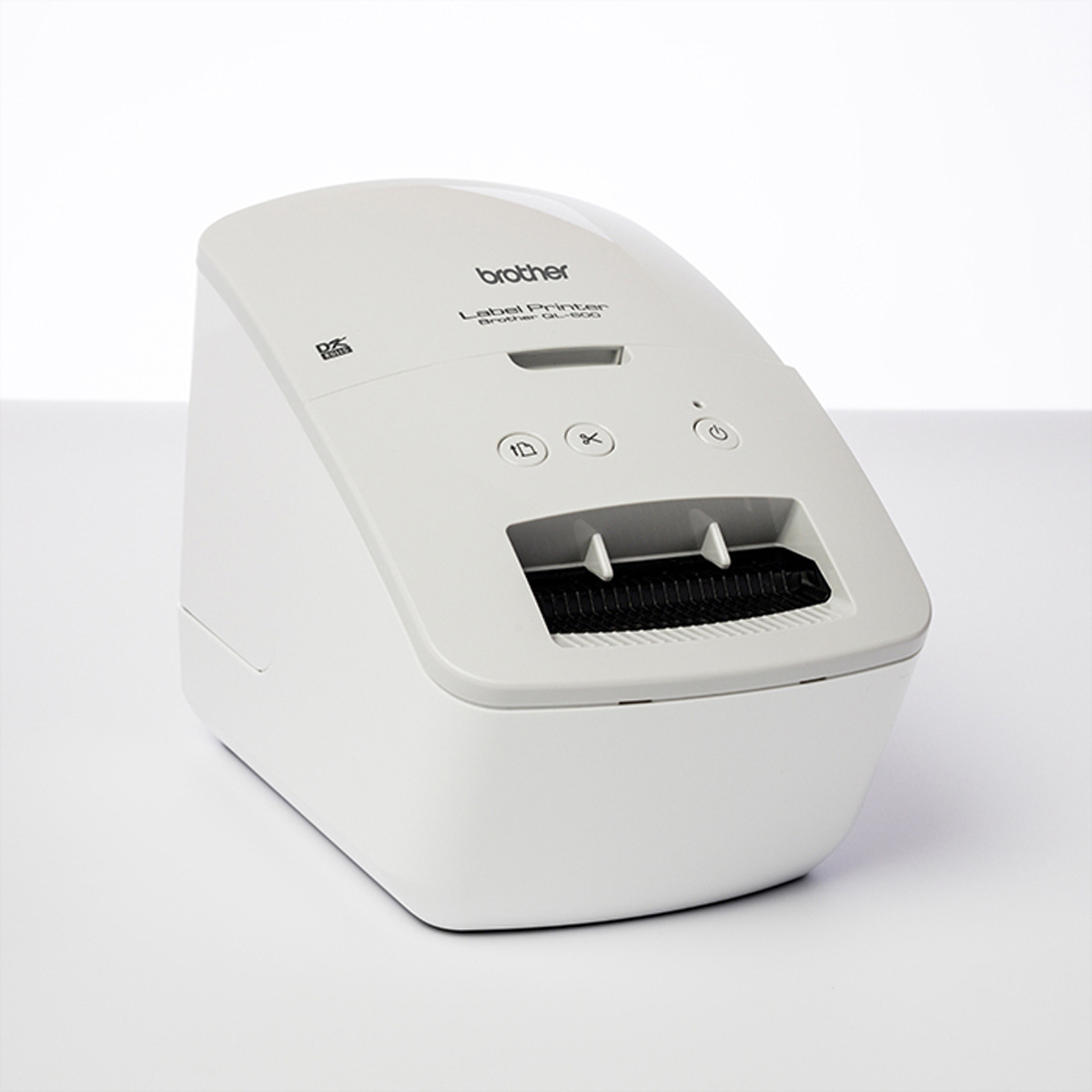
| Brother QL-600G Etikettendrucker - Label Printer - Label Printer |
|
|||
| Colored - 600 dpi - USB 2.0 | ||||
| Group | Printers | |||
| Manufacturer | Brother | |||
| Manufacturer item no. | QL600GXX1 | |||
| EAN/UPC | 4977766798457 | |||
| Description | ||||
|
Brother Etikettendrucker QL-600G,
Der Brother QL-600G ist ein professioneller Etikettendrucker für Einzel- und Endlosetiketten mit der Möglichkeit der direkten Nutzung über einen USB-Anschluss unter Windows, ohne die Installation von Treibern oder Software. |
||||
| Extended details | ||||
| General | ||||
| Type | Label Printer | |||
| Printing technology | Label Printer | |||
| Colour printing | Colored | |||
| Maximum printing resolution | 600 dpi | |||
| Paper format | B2 | |||
| Maximum print resolution | 300 * 300 dpi | |||
| Interfaces | USB 2.0 | |||
| Weight | 0.6 kg | |||
| Compatibility | ||||
| Compatible brands | Brother | |||
QL-600G Label printer - Label printer - Label printer
| Estimate Gross Weight | 0.6 |
|---|
https://www.brother.co.uk/labelling-and-receipts/ql600g#support
Address, signage and general label printing for your home or office
The Brother QL-600G is a compact label printer that once connected to your computer lets you design and print labels on demand, quickly and efficiently.
Choose the label size you need
Every QL-600G label printer comes with a 62mm width continuous length label roll in the box. Brother's unique continuous roll technology allows you to print any sized label you need from one roll. From address labels, storage boxes and indoor signage, you can complete all your labelling requirements without the need for multiple rolls.
Free label editing software for Windows PC’s and Mac
Brother's easy to use, free editing software, P-touch Editor, gives users the opportunity to fully customise their labels. Available on both Windows and MAC, you can import existing graphic files, use the enhanced symbols or clip-art files included to create logos or custom art.
Design your perfect label
From a simple address label containing just text, you can then add images (such as a company logo), barcodes and frames. Use the fonts installed on your computer to create the exact label required.
Many different label sizes to choose from
As well as a range of continuous length rolls that can be cut to your exact size requirement, there are also many popular sized die-cut labels available. These pre-sized labels have rounded corners and are quick and easy to peel, ideal for when a larger number of labels need to be printed and applied.
Change label rolls quickly and easily
Unlike some other label printers on the market, all Brother DK label rolls are supplied on a label spindle. All you have to do is drop-in your roll, feed it into the printer then close the top cover. It takes just seconds and ensures the labels are installed correctly, every time.
0.0
0 review(s)
Our warehouse · Our shipments · Inside our operation
Photographed in our warehouse, not pulled from a stock library.
A look at the technology we receive, check, pack and dispatch every day. These are our own photos from day-to-day operations.